
How to Choose the Right Business Laptop (Without Overspending)
How to Choose the Right Business Laptop (Without Overspending)
TL;DR
Choosing the right business laptop doesn’t mean paying for the highest specs—it means finding a device that balances performance, portability, security, and value. Aim for Core i5 or Ryzen 5+, ≥8GB RAM, 256–512GB SSD, solid battery life (10+ hours), and business-grade build and support. Don’t overspend on features you won’t use. Explore deals from Dell, Lenovo, ASUS, or refurbished Intel Evo-certified models for the best return.
1. Why Choosing Wisely Matters
Office laptops are an investment that should last 3–4 years. The wrong model can slow productivity, increase downtime, and require early replacement—wasting money. Business laptops offer enhanced reliability, security, warranty, and often better resale value. Unlike consumer devices, they’re built for real-world use.
2. Key Specs to Focus On
Performance: CPU & RAM
-
Aim for Intel Core i5 or Ryzen 5, or higher if multitasking or creative work.
-
8 GB RAM only just suffices for basic apps; 16 GB recommended for heavier workloads.
Storage
-
Use SSD (NVMe if possible) for fast boot and app loading.
-
256GB works for most; 512GB ideal if working with large files or CRM data.
Battery & Portability
-
Look for 10–12h battery life ratings (devices like Intel Evo-certified models guarantee performance).
-
Laptops under 1.5 kg makes remote or hybrid work easier.
Build & Security
-
Business lines like Lenovo ThinkPad or Dell Latitude include spill-resistant keyboards, TPM chips, fingerprint readers, and longer warranties.
Connectivity
-
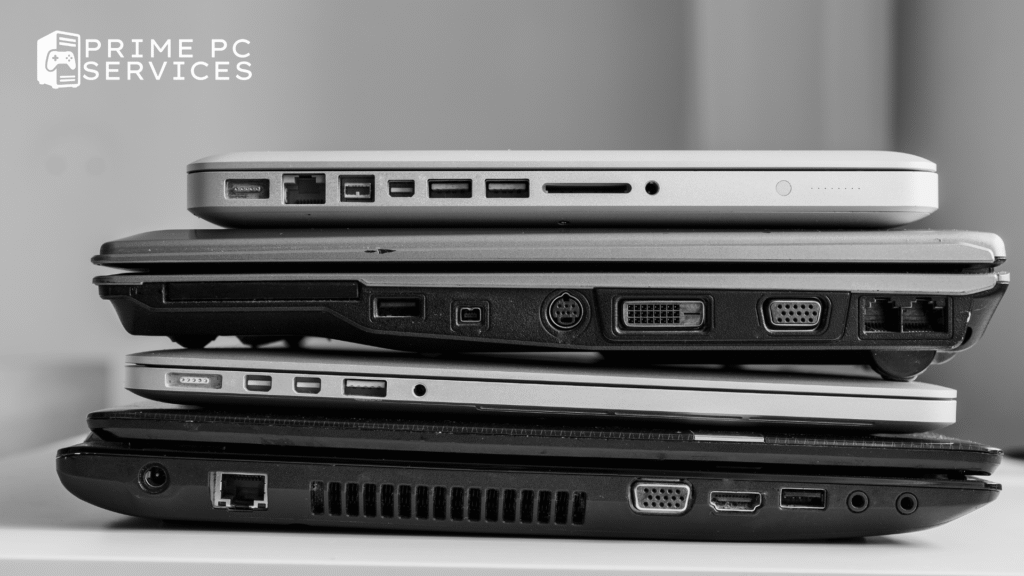
Include USB‑C/Thunderbolt, HDMI, Ethernet, and Wi‑Fi 6 for future-proofing.
-
A physical webcam shutter and 1080p webcam are useful too.
Real‑Life Deals & Models (UK – July 2025)
✅ Dell Latitude 3540 (Core i5, 16GB RAM, 512GB SSD) – ~£799
Durable business machine, long-term support, security features suitable for most SMEs.
✅ Lenovo ThinkPad T14s Gen 6 – core i5 or Snapdragon X Elite, 16 GB RAM, long battery life (~£999)
Praised for rugged build, keyboard quality, and enterprise reliability.
✅ ASUS Vivobook S16 – i5, 16 GB RAM, 512 GB SSD (~£700)
Good all-around value with strong performance and OLED display.
✅ Microsoft Surface Laptop 7 – Snapdragon-based, ~15 h battery, ~£900
Lightweight, sleek, ideal for mobile professionals.
✅ HP EliteBook Ultra G1q – business features, long battery life, around £1,100
Great for field workers with built-in webcam and rugged design.
✅ Refurbished Intel Evo-certified MacBook Air M4 (UK retailers) – under £1,000 during deals
Remarkable battery life, speed, and build quality—if your workflows support macOS.
What to Avoid (Now)
-
Gaming laptops with flashy GPUs you’ll never use
-
Touchscreens or 4K displays unless needed—they drain battery
-
Overkill RAM or storage (e.g. 32GB or 2TB for admin teams)
Custom Setup Tips for SMEs
-
Define use case: admin, sales, creative, or hybrid
-
Balance specs vs cost—stick within £700–£1,100 for most small teams
-
Always choose Windows 11 Pro when growing (for remote policies & security)
-
Consider refurbished and certified hardware to reduce costs and waste
How Prime PC Services Can Help
We help select the right models based on your business needs
Offer setup services including data transfer, MS365/email configuration, backups
Provide ongoing support and warranties through local service
We test performance and secure your laptops before you deploy them
👉 Ready to maximise your tech spend? Contact us for tailored advice and setup support.
Frequently Asked Questions
Q: Should I choose a Chromebook instead?
Only if your business runs entirely in the browser—most SMEs need Windows or macOS software compatibility.
Q: Is it worth buying refurbished?
Yes—Evo and manufacturer-refurbished models offer business durability and warranty at lower cost.
Q: How long should a business laptop last?
With proper use, a business laptop should last 3–5 years before needing hardware upgrades.
Summary Table
| Feature | Recommended | Avoid if Unsure |
|---|---|---|
| CPU | Core i5 / Ryzen 5+ | High-end i7/i9 (overkill) |
| RAM | 8–16 GB | 32 GB for general use |
| Storage | 256–512 GB SSD | 1TB+ unless needed |
| Battery Life | ≥10 hours | 4K screens / dedicated GPU |
| Size | 13″–14″, <1.5 kg | 17″ desktop replacements |
| OS | Windows 11 Pro | Windows 11 Home or older |
| Warranty | ≥ 1 year business | Consumer models without support |
Final Thoughts
Smart business laptop buying is about getting excellent value: performance where it matters, reliability, and future support—not flashy or irrelevant features.
A good laptop saves time, avoids frustration, and supports your growth. If you’re unsure which model fits your needs, Prime PC Services is ready to help you pick, configure, and deploy devices that last.